Skip to content
DiscoverFoundersFeaturedPricing
Log inLaunch your product

Ask AI About Collabe.io

  • ChatGPT
  • Claude
  • Perplexity
  • Grok

For Agents

  • llms.txt
  • llms-full.txt
  • ai.txt
  • AI snapshot
  • Agent guide
  • Markdown catalog
  • Sitemap

Give your product more ways to grow. Get discovered by new audiences and connect with founders for shoutouts, content swaps and partnerships.

Launch for free hello@collabe.io

Discover

  • Latest launches
  • Featured products
  • Meet founders
  • Recently active
  • AI tools
  • All products

For Founders

  • Launch your product
  • Your launches
  • Pricing
  • Best SaaS directories
  • Launch guides

Alternatives

  • Product Hunt alternative
  • TinyLaunch alternative
  • MicroLaunch alternative
  • ScrollLaunch alternative
  • StartupBase alternative
  • CodeHype alternative
  • All alternatives

Collabe

  • How it works
  • Blog
  • Contact us

© 2026 Collabe. All rights reserved.

Terms of ServicePrivacy PolicyRefund PolicyCookie Policy
Home/Products/Productivity/LensUp Scanner
LensUp Scanner logo
Productivity

LensUp Scanner

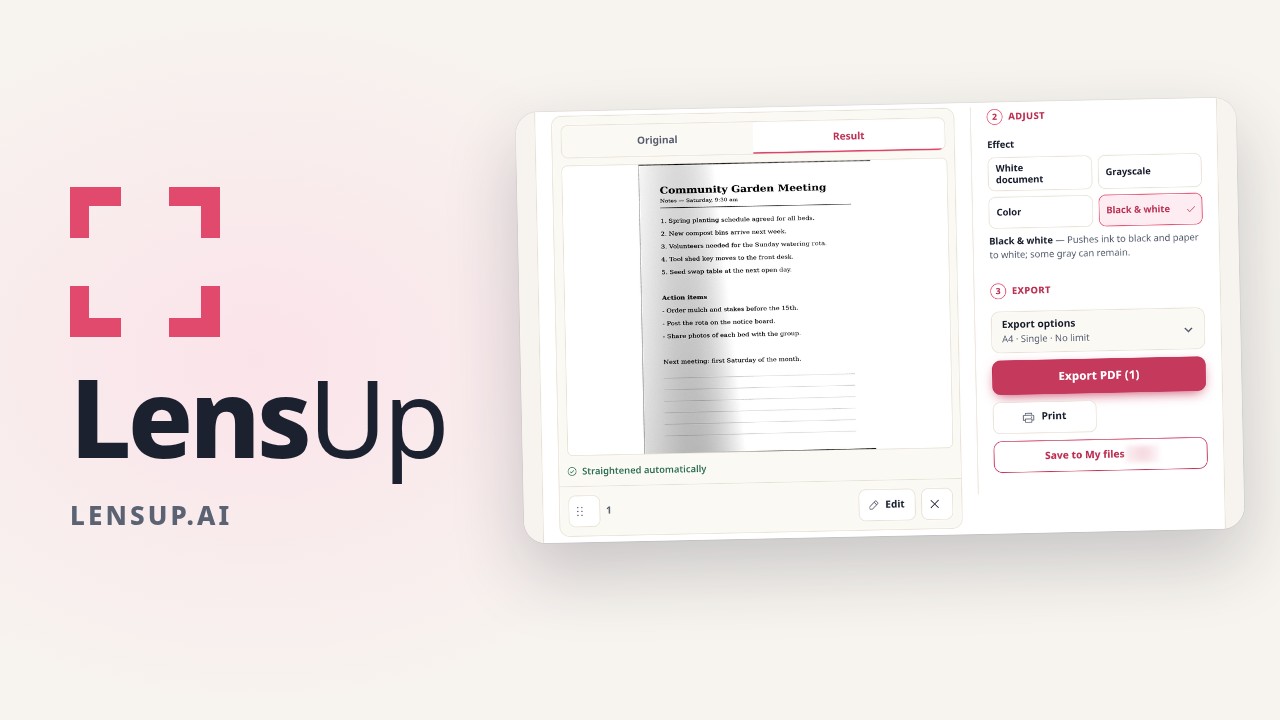
Free browser document scanner: photo to printable A4 PDF

By Wangyan Launched Nov 13, 2026 lensup.aiDR 48 0 comments
Visit website Collab with founder

About LensUp Scanner

LensUp Scanner is a free, browser-based document scanner that turns phone photos into clean, printable PDFs and includes ID-card copy and PDF tools. Every tool is free, and the free tools process your files on your device. Take a photo of a page, then crop it, straighten it and adjust the contrast before exporting a printable A4 PDF. You can also lay out an ID card copy with the front and back on one A4 sheet, crop a passport photo to 35 × 45 mm, edit and merge PDFs, compress files and convert images.

Founder discussion

What Founders Are Saying

0 comments

Start the conversation by sharing your perspective on this product.

Sign in to join the discussion

Built by

Wangyan

@founder-47bb944fa3a24eb4

2 products launched
Collab with founder

Open to working together

Ways to Collaborate

Collaboration preferences have not been added yet.